Dev License: This installation of WHMCS is running under a Development License and is not authorized to be used for production use. Please report any cases of abuse to abuse@whmcs.com

How to pay an invoice

  • How to pay an invoice, How to pay for server
  • 0
  • Print

    Login to your client area -> https://pingperfect.com/clientarea.php

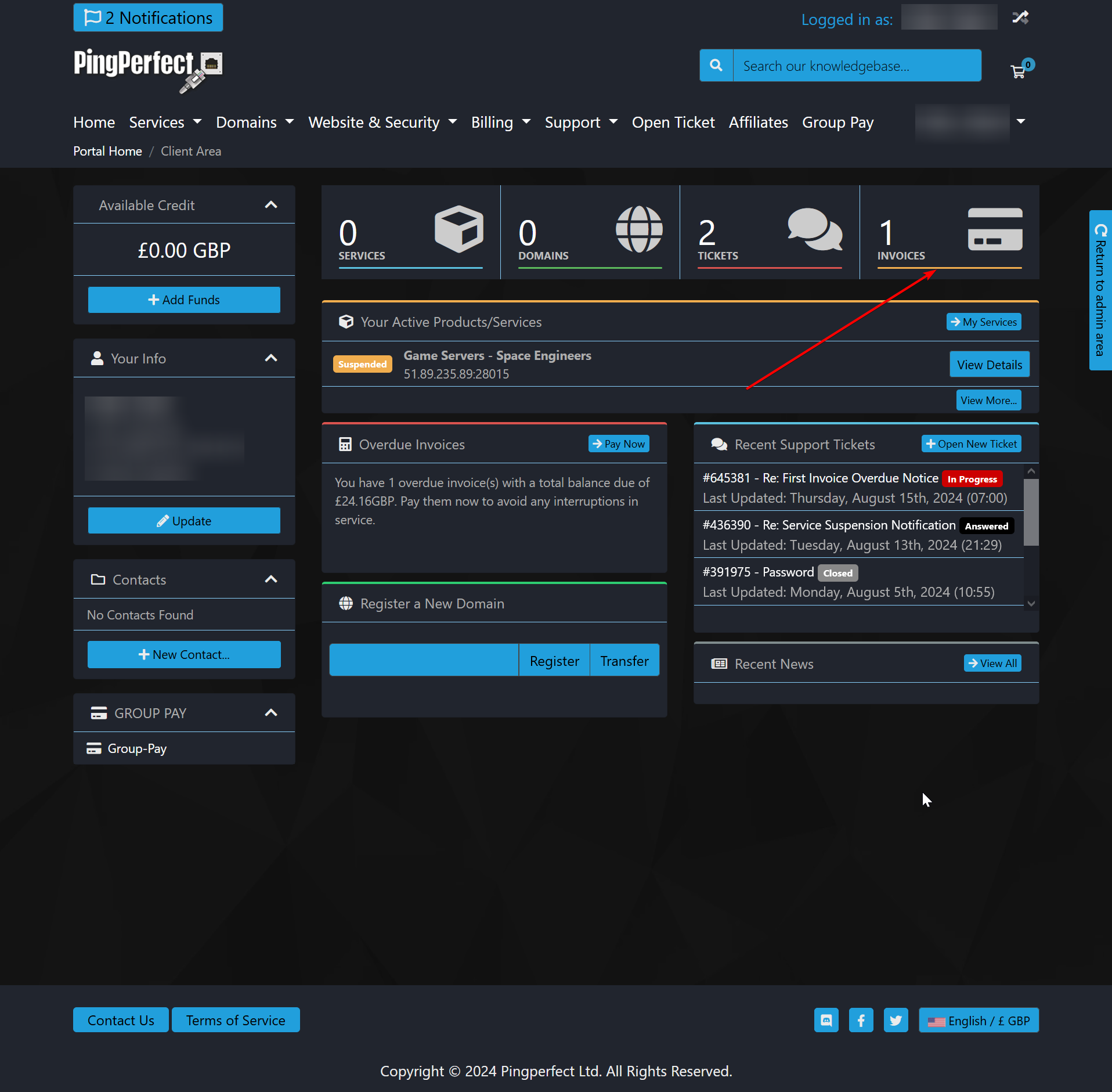
    Click invoices on the hotbar
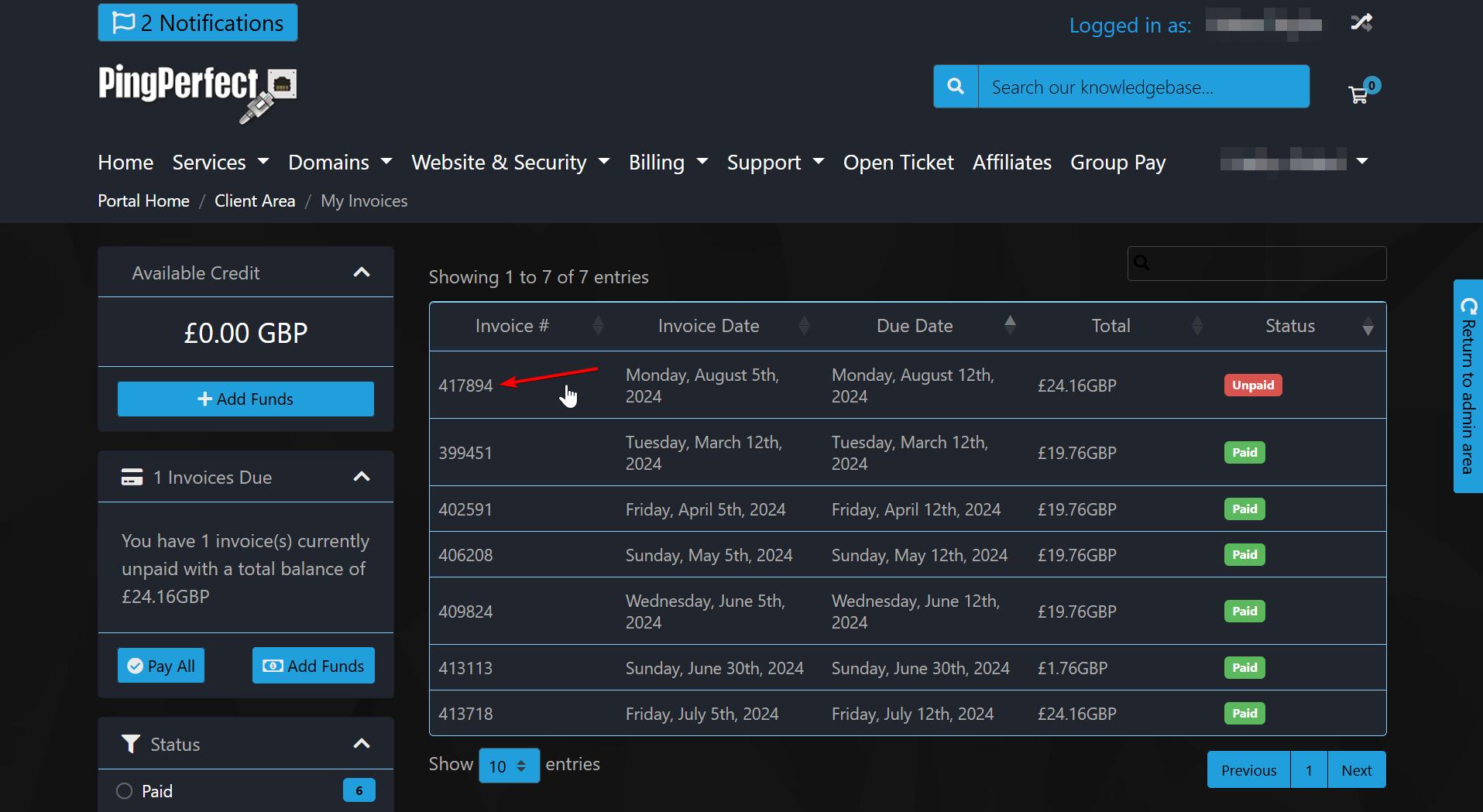
    Click the invoice number of the invoice you want to pay.
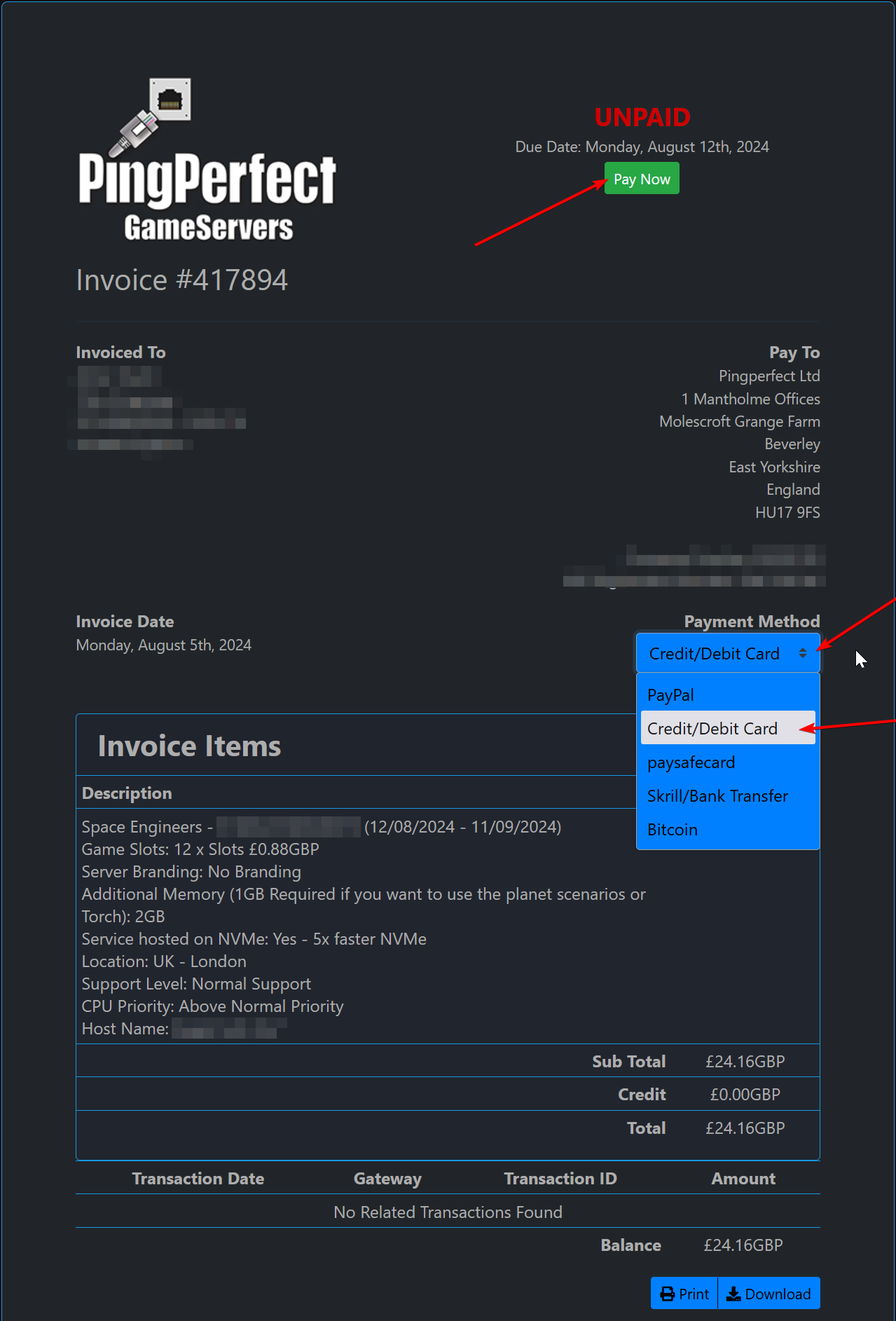
    Click the "Payment Method" dropdown selector if you want to change the method from your default (whatever you used when you signed up) - select payment method, then click the green "pay now" button...

    Order now - Use code KNOWLEDGE15 for 15% off

    Was this answer helpful?

    « Back

    Powered by WHMCompleteSolution